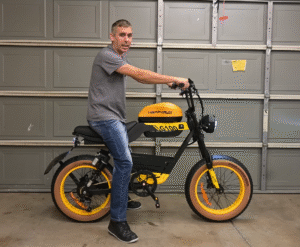
When PAS Feels Like a Launch Control
You start pedaling, expecting a smooth roll-off, and instead your e-bike lunges forward like it’s in launch mode. Many first-time conversion builders-or anyone helping a family member ride-run into this. What’s puzzling is that even at the lowest PAS level, the assist still hits too hard.
The core issue isn’t a defective sensor or mis-aligned magnet ring. It’s how your controller’s firmware interprets PAS pulses. Most budget controllers treat every pedal signal as a command to reach a fixed speed, delivering full torque until that speed is achieved. The result: abrupt power, unstable low-speed control, and nervous riders.
This guide unpacks the physics, firmware logic, and practical fixes-from current limiting to controller swaps and torque-sensor upgrades-so your bike feels controlled, not chaotic.
Understanding What’s Really Happening Inside
PAS Doesn’t Measure Speed or Power – It Measures Pulses
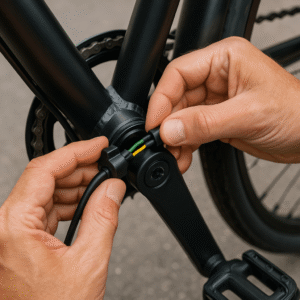
A PAS (Pedal Assist Sensor) is one of the simplest devices on an e-bike. It’s not “smart.” It doesn’t know how hard you pedal or how fast you want to go. All it does is send digital pulses every time a magnet passes its hall sensor.
Your controller receives those pulses and decides: “When I see N pulses per second, apply power X.” The sophistication-or bluntness-of this logic entirely depends on your controller’s firmware. That’s why two e-bikes using identical PAS discs can feel wildly different.
Key takeaway: the PAS itself rarely causes “too much assist.” It’s the controller’s interpretation of those pulses that defines how the bike behaves.
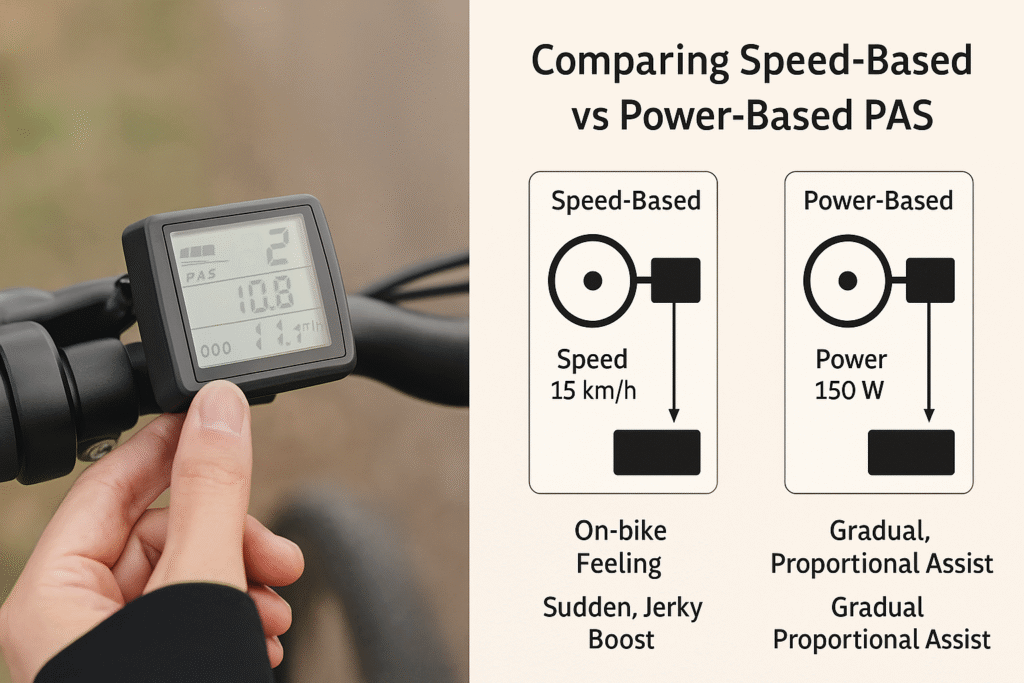
The Two Control Philosophies: Speed-Based vs Power-Based PAS
Controllers come in two behavioral families:
| Type | How It Works | On-Bike Feeling | Typical Brands |
|---|---|---|---|
| Speed-Based | Targets a set wheel speed for each PAS level. Same torque kick each time, then tapers off as speed is reached. | Jerky, surge-prone, hard to ride slowly. | Generic “no-name,” JN, DC MOTO, SineWave clones |
| Power-Based | Limits current (and thus torque) per PAS level. Lower levels deliver softer assistance. | Smooth, natural acceleration and proportional effort. | KT Series, Lishui, Bafang configurable |
If your bike leaps forward the instant you pedal, you almost certainly have a speed-based controller. Upgrading to a power-based system completely changes the feel-same motor, same PAS, smoother ride.
Why Your Current Setup Feels Too Fast
Overpowered Controller Mismatch
Pairing a 700 W controller with a 250 W hub may sound like “extra headroom,” but it makes low-speed modulation nearly impossible. Even at PAS Level 1, your controller is ready to deliver triple the rated torque. That mismatch overwhelms small motors and delicate gearing, producing jerky launches.
Quick rule: match controller current ratings to motor class. A 250 W hub runs best on 12-15 A max. Anything higher creates instant surge.
Fixed-Speed Logic = Same Punch at Every Level
Speed-tier firmware treats Level 1 as “aim for 15 km/h,” Level 2 as “20 km/h,” etc. The ramp to reach that target is full current, regardless of level. That’s why Level 1 still feels violent-the controller doesn’t limit torque, only target speed.
This logic is efficient for factory commuter bikes (smooth roads, precise tuning) but disastrous on DIY conversions where settings don’t match the rider.
Why Changing the PAS Sensor Won’t Help
A PAS sensor can only output on/off pulses-it cannot tell the controller to “go softer.” So replacing it with a different disc or magnet count changes how soon power triggers, not how hard it hits. The underlying control curve remains the same.
If you’ve already bought a new PAS ring, don’t worry-it can still serve as a spare. But the real improvement must happen at the controller or firmware level.
Real Fixes That Actually Work
Step 1: Limit Current and Power Output
If your controller or display lets you configure battery current, phase current, or PAS assist ratio, start there.
- Drop the max battery current by 30-40%.
- Reduce phase current to smooth motor torque.
- If available, adjust “assist strength” or “start current %” to around 20-30%.
Expect a noticeable change: softer engagement, slower ramp, and a ride that finally lets you balance at walking speed.
Checklist
- ✅ Confirm display access to current limits (LCD settings).
- ✅ Test each PAS level; Level 1 should feel like gentle tailwind, not a shove.
- ✅ Monitor controller temperature-lower current = cooler running.
Step 2: Move to a Power-Graded Controller Family (KT Solution)
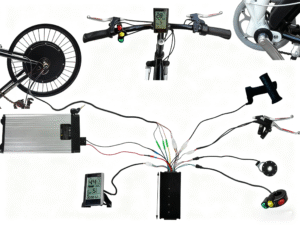
The most foolproof upgrade is adopting a KT (Kunteng) controller and matching LCD (e.g., LCD3, LCD11). KT systems use current-based PAS: each assist level sets a current ceiling, not a target speed.
For example, Level 1 may cap at 6 A (~60-100 W), Level 2 at 9 A, and so on. You control how hard the bike pushes, not just how fast it wants to go. Riders consistently report this as the “night and day” difference for family or commuter conversions.
Advantages
- Tunable start current, ramp time, and slow-start delay.
- Fully compatible with most hub motors.
- Proven reliability and broad aftermarket support.
Setup tip: keep display and controller from the same KT series to unlock full parameter access.
Step 3: Upgrade to a Torque-Sensor System for True Natural Feel
If you want the assist to mirror your effort, a torque sensor is the next leap. Unlike PAS, it measures pedal force-how hard you push-then multiplies that by a programmable ratio. Light pedaling = light assist; strong pedaling = stronger help.
Modern controllers (KT torque-version, Lishui, Tongsheng, Bafang M-series) can integrate both torque and cadence data for a seamless ride. For riders sharing the bike with beginners or spouses, this is the gold standard of comfort and safety.
Installation notes
- Confirm signal type: some torque sensors output analog voltage (0-5 V), others digital.
- Ensure controller supports that format.
- Calibrate using display settings or PC tool if available.
Matching Components the Smart Way
Stay Within Power Class
More watts aren’t always better. A mismatched controller can overpower small windings, overheating them at low speeds. Balance matters more than raw numbers.
Quick pairing guide
| Motor | Recommended Controller | Max Current |
|---|---|---|
| 250 W | 12-15 A | 36-48 V |
| 500 W | 15-18 A | 48-52 V |
| 750 W | 20-22 A | 48-52 V |
Keep the “Family” Together
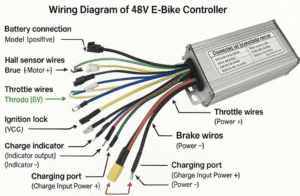
Controllers and displays talk via private protocols. Mixing brands-even if the connectors fit-often locks out key settings or misreports PAS levels. Always use matched pairs (KT+KT, Lishui+Lishui, etc.) to ensure every menu item actually works.
Advanced Tweaks for Fine Riders
Once your PAS behavior feels civilized, fine-tune it:
- Soft-Start Delay: Introduces 0.5-1 s before power engages-ideal for cautious starts.
- Start Current %: KT menu “C14” controls initial torque; 10-30% feels natural.
- Throttle-PAS blending: Let throttle override PAS smoothly at low speeds.
These tweaks polish response and extend drivetrain life.
Common Misconceptions
- “More magnets = smoother PAS.” False. It just increases signal frequency; smoothness is firmware-controlled.
- “Faster PAS = better sensitivity.” Not if the controller still applies full current instantly.
- “Aggressive start = more torque.” Often not-just uncontrolled current ramping.
Understanding these myths helps focus upgrades where they count.
Example Upgrade Path
| Rider Type | Problem | Recommended Setup |
|---|---|---|
| Family / Commuter | PAS too jumpy | KT controller + LCD3 + low current limit |
| DIY Builder | Overpowered hub | Add power-grading + torque sensor |
| Performance User | Mixed throttle/PAS | Dual-mode controller with adjustable assist curve |
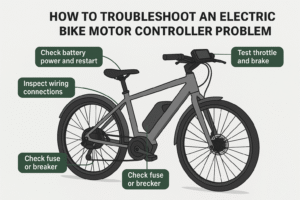
Troubleshooting Checklist
- ✅ Check your display menu for current or assist ratio options.
- ✅ Measure actual current draw with a wattmeter.
- ✅ Identify whether your controller is speed- or power-based.
- ✅ Replace with a KT or equivalent if tuning isn’t possible.
- ✅ Verify torque-sensor compatibility (analog/digital signal).
Conclusion: The Goal Isn’t More Power – It’s More Control
Smooth PAS equals safe PAS. The best e-bike experience doesn’t come from brute force but from predictability and proportional response.
By matching your firmware logic to your riding style-whether through current limits, KT power-grading, or torque sensing-you transform your bike from unpredictable to intuitive. Your knees, drivetrain, and riding partners will thank you.